
Arbor set up for families
(Please note: This article can be translated into other languages using the GTranslate dropdown located at the very bottom right of this page)
To set up your Arbor account type in any browser: https://login.arbor.sc/
The screen below will show up, you will need to enter the following information:
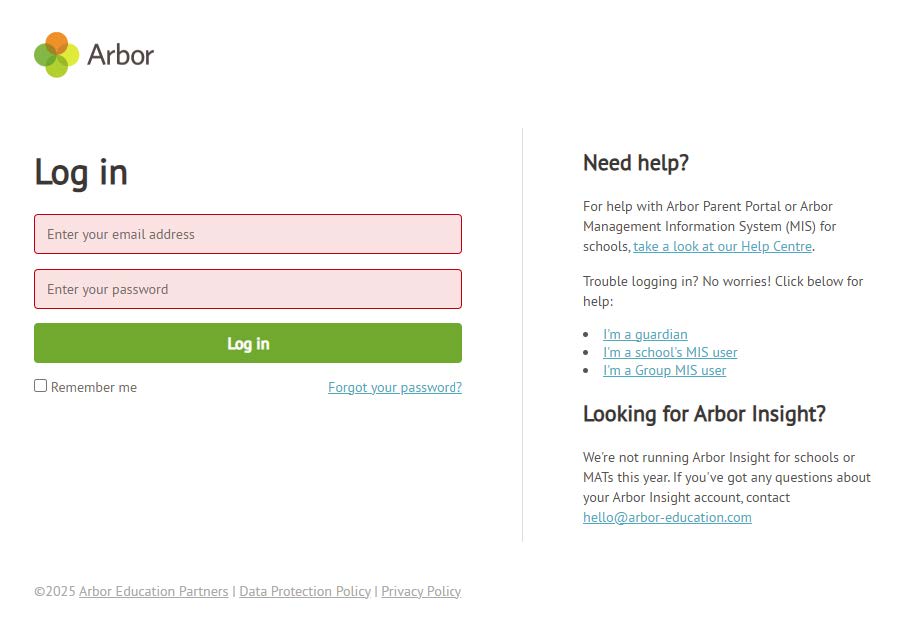
Email address: This is the Email address you added to your contact details.
(If this could have changed recently or you have multiple email addresses and you don’t remember the one you used, please contact the year admin team to check or get it changed).
Date of birth: This can be the date of birth of any of your children at our academy.
Click on the “Forgot your password link” found just bellow the green Log in button.
The next screen will ask you to enter your Email address. This needs to be the email address that is on your contact details for your child or children.
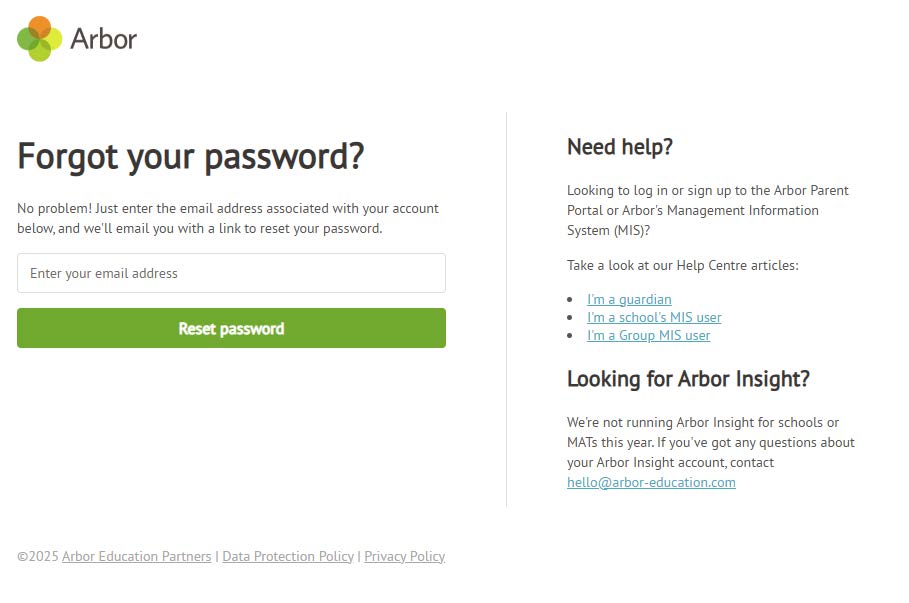
Once you have entered your email address click on the green button labelled “Reset password”
If the Email address match’s our records you should receive an email (Please make sure you check your Junk/Spam folder as well as your inbox), if the email hasn’t arrived after 15 Minutes please contact the academy and we will check the email address you are using matches our records.
Please follow the instructions in the email and then onscreen to reset your password.
After resetting your password you will be able to login to either the web portal https://login.arbor.sc/ or on the Arbor Parent app (this can be downloaded on both the Apple App store and the Google play store).
