
You login to MathsWatch and Bedrock Learning using your full kesh.kevibham.org email address and the same password you use for the school computers:
-
Click on the MathsWatch link on the school website.
-
Click on the ‘Microsoft’ Button on the sign in screen
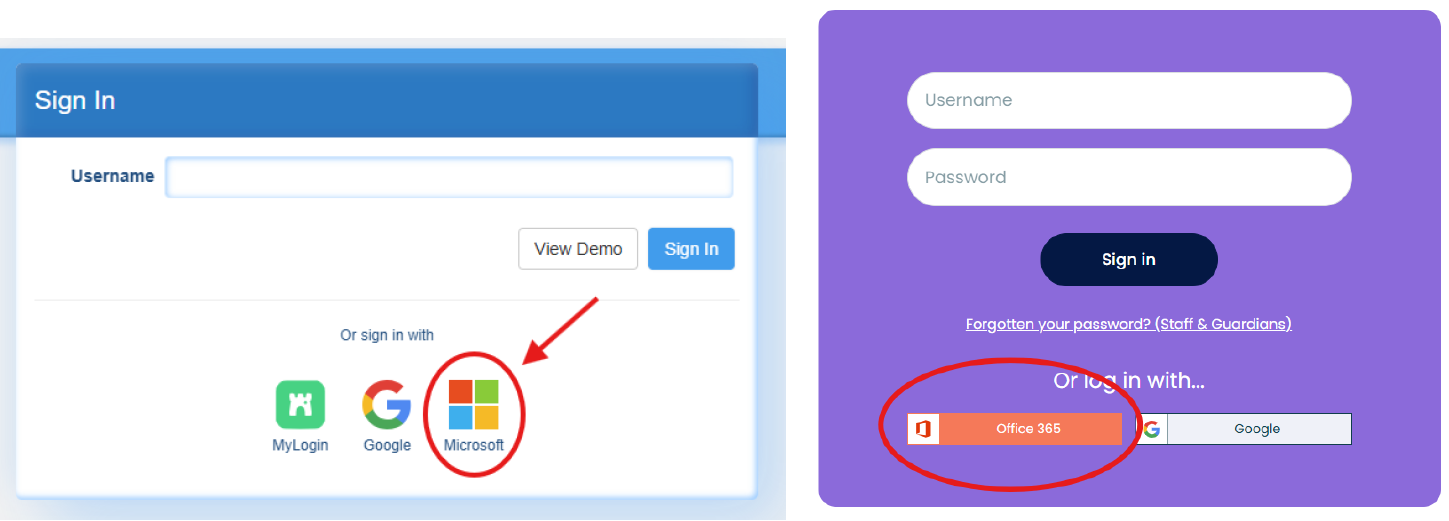
-
Enter your full email address when prompted. If you see your old keshacademy.com email here then you will need to remove this before continuing by pressing ‘Sign in with another account’
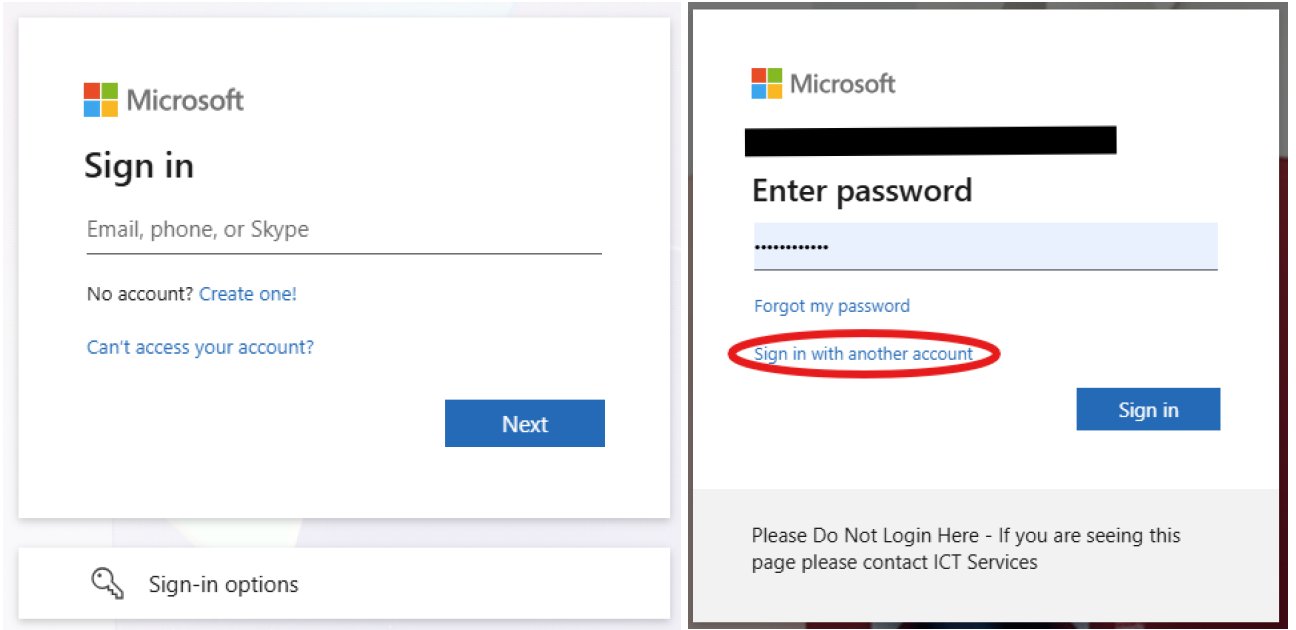
-
When prompted, enter the same password you use to login to the school computer.
-
If these steps do not work try the following:
-
Clear your browsing history/cache: View and delete browser history in Microsoft Edge -
-
Use a different browser, such as Chrome, Edge or Firefox
-
Contact ICT Services.
-
